Adding Empty Bottles on Your Back of Truck System (BOTS/TruckSiS)
Adding empty bottles on your Back of Truck System can be easy to do. Watch this video to get you up to speed on this topic.
Adding p-listed empty pharmaceutical bottles
Pharmacy (Rx) waste pickups often include empty bottles with p-listed residue. You can easily add these to your current stop by selecting Add Rx item from the Sorting tab and using the Add p-listed empty bottles feature.
- Select Add empty p-listed bottles next to the Rx item search bar. The empty bottle item will appear in the Rx item Builder.
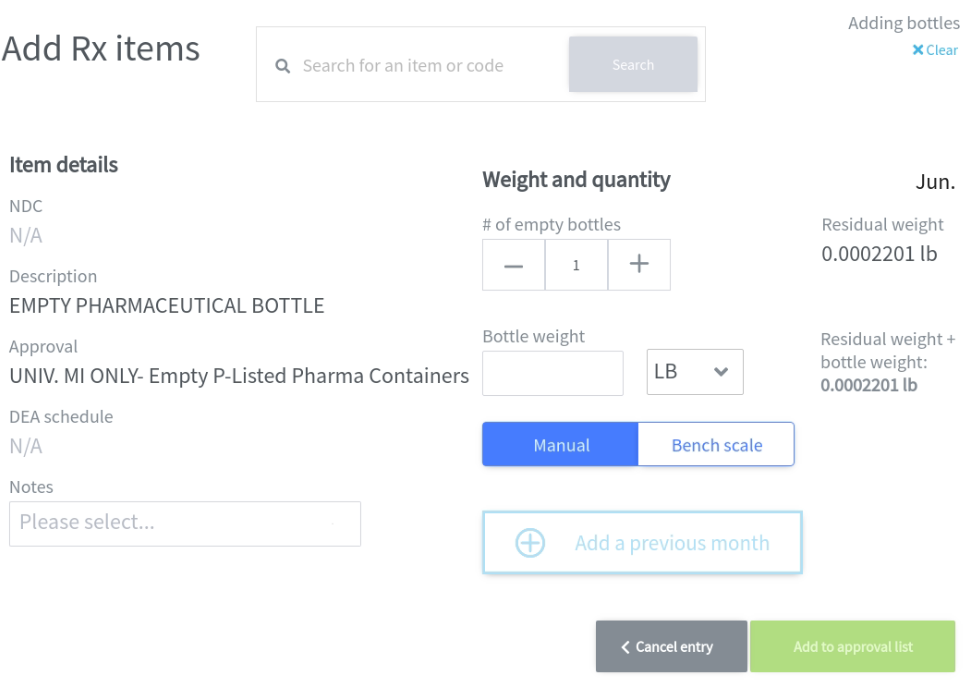
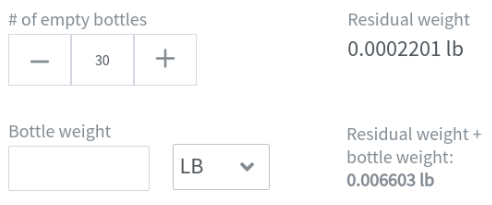
2. Enter a quantity for # of empty bottles. Multiplying # of empty bottles by the residual weight value equals total residual p-listed waste weight.
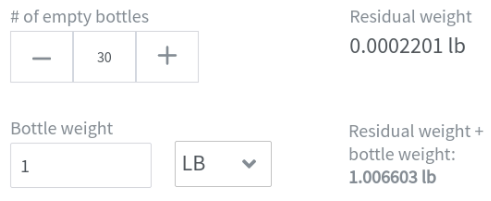
3. Enter a value for Bottle weight if required by the generator. Adding Bottle weight and total residual p-listed waste weight equals the total weight of the empty bottle approval.
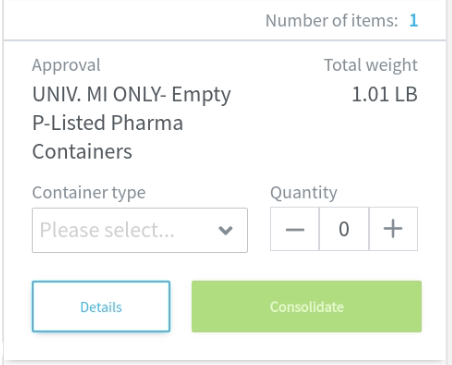
4. Select Add to approval list to create the Empty bottles approval card. You can consolidate this approval when ready by selecting container type and size values, then selecting Consolidate.
Still stuck? Contact support or email support@smartersorting.com Either way it lands straight in our ticket queue.