Adding full inventory pharmacy items (NDCs) on the Back of Truck System (BOTS/TruckSiS)
Adding pharmacy items (NDCs) on your TruckSiS unit is simple with our new RX flows.
Topics
- Adding Rx items / NDCs
- Consolidating Rx approvals
Adding full inventory pharmacy items (NDCs)
In full inventory states or other regulated instances, pharmacy waste pickups require a record of each drug (pharmacy item) and a printed Pharmaceutical Record of Distribution. You can add pharmacy items to the current stop with the Add Rx item feature.
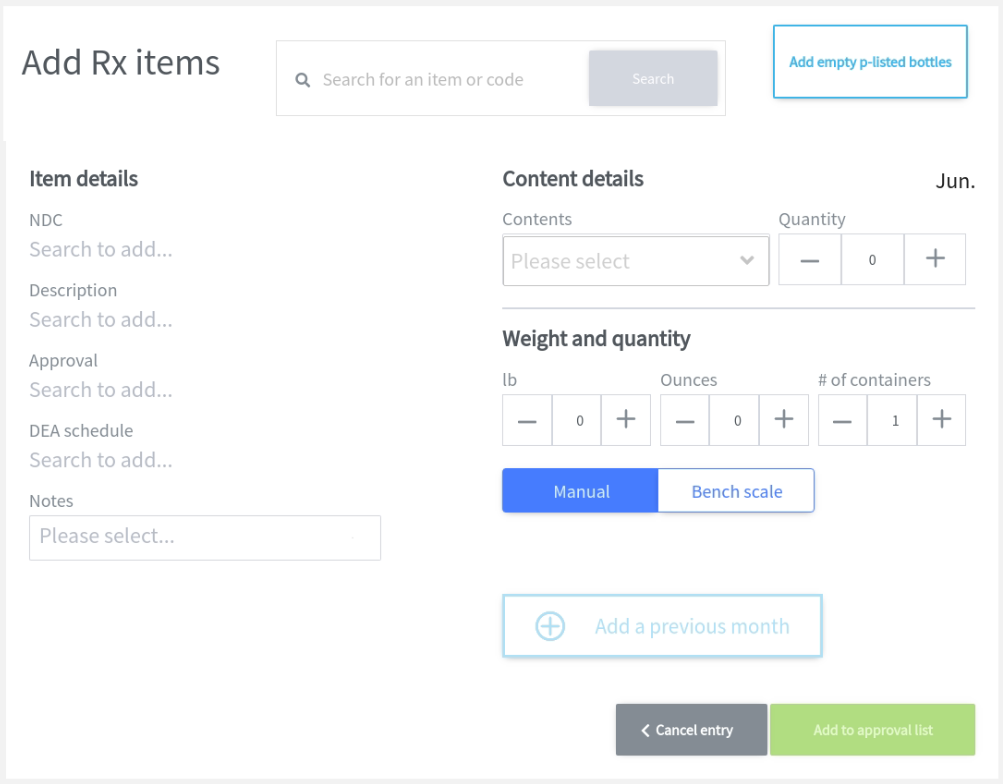
- Select Add Rx item to bring up the Rx item Builder. You can search for a pharmacy item by name or by NDC.
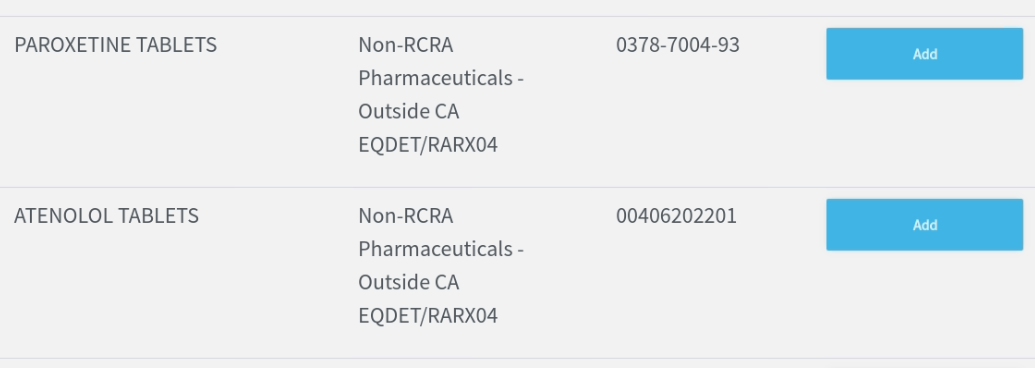
- Select the correct pharmacy item from the search results. The drug and approval details will populate on the Rx item Builder.
- Enter values for Contents, Quantity, Weight, and # of containers.
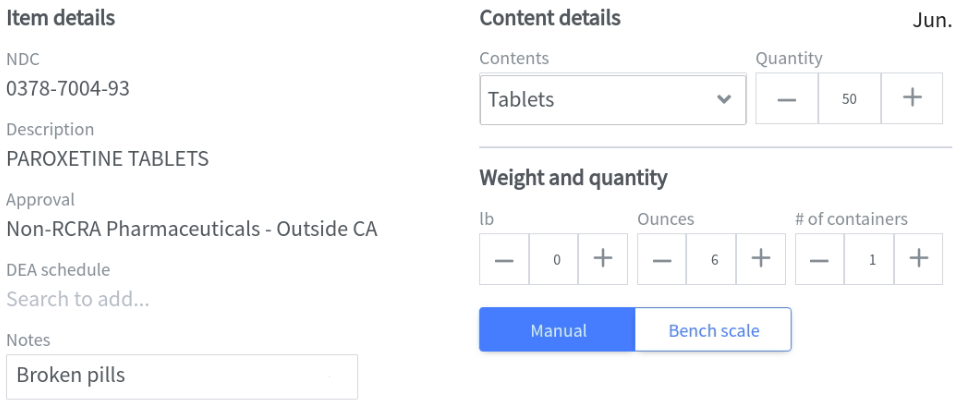
- Enter Notes if there are any specific details to record about the pharmacy item. A list of common notes is available.
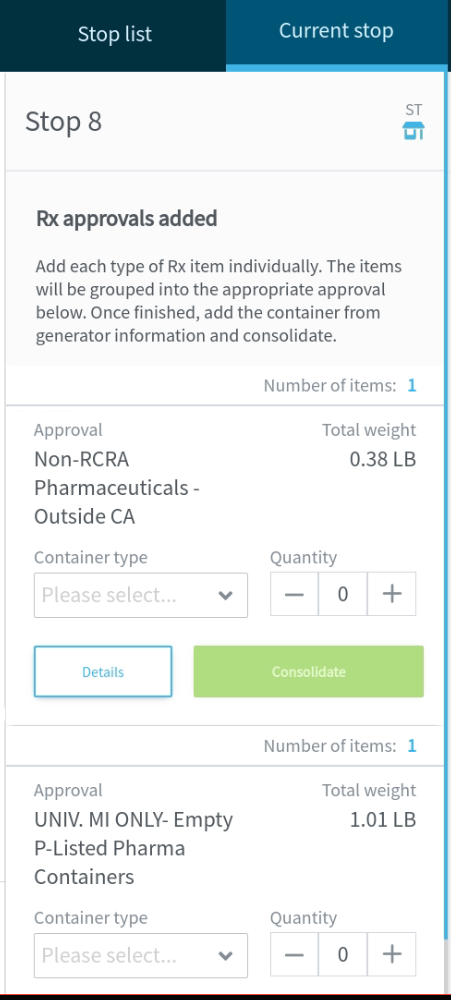
- Select Add to approval list to add the pharmacy item to an approval. The approval will appear as a card on the column left of the Rx item Builder.
Consolidating Rx approvals
- Once all pharmacy items have been added, consolidate all pharmacy approvals. Select a container type and quantity for the approval. Then select Consolidate to go to the CCID flow.
Still stuck? Contact support or email support@smartersorting.com Either way it lands straight in our ticket queue.