Batch Upload
How to batch upload products on data.smartersorting.com
To start, click 'batch upload' in the top right.
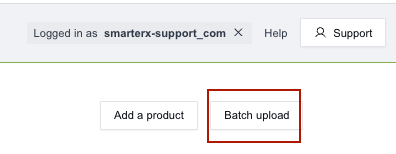
You will need to add a CSV file with at least the headers ‘upc’ and ‘name’.
You can add additional product information in any format. We recommend also including brand name, a publicly available list of ingredients, and URLs pointing to copies of PDF documents such as a Safety Data Sheet, UN 38.3 Summary Report for Lithium Ion Batteries, or an electronic user manual.
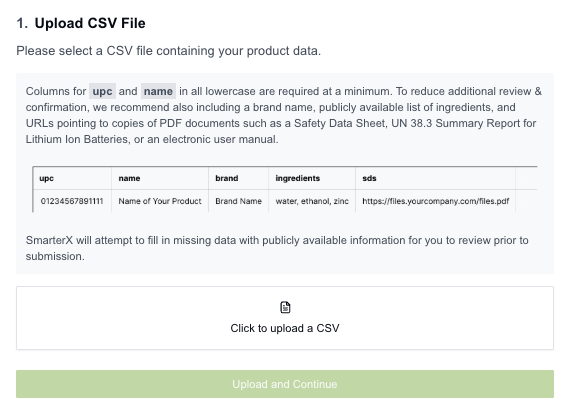
Choose your file and then click the green ‘upload and continue’.
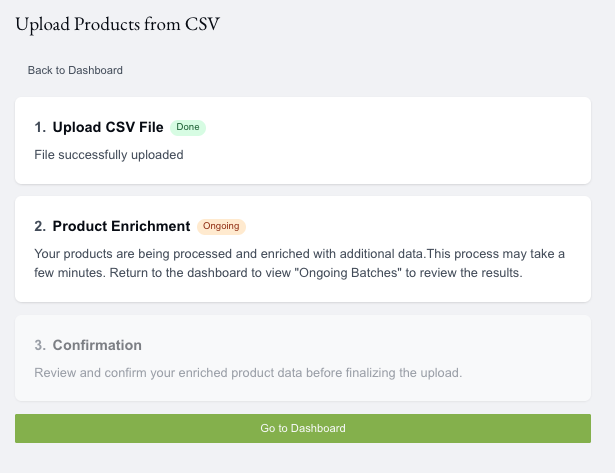
The page will confirm the upload is done and the products are being enriched. You can return to your dashboard while you wait.
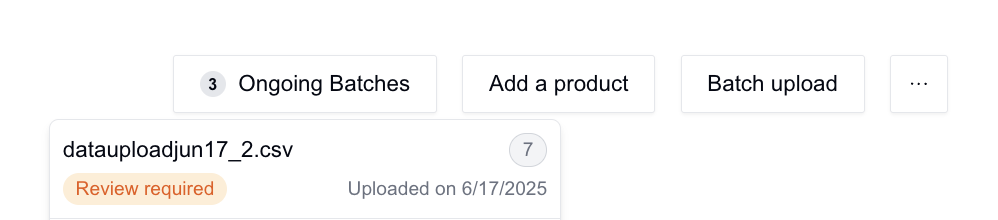
Back on your dashboard you will see a button to check on the enrichment status called ‘ongoing batches’ in the top right.

Click to open, and then click on the 'review required' record to review and attest to the information.
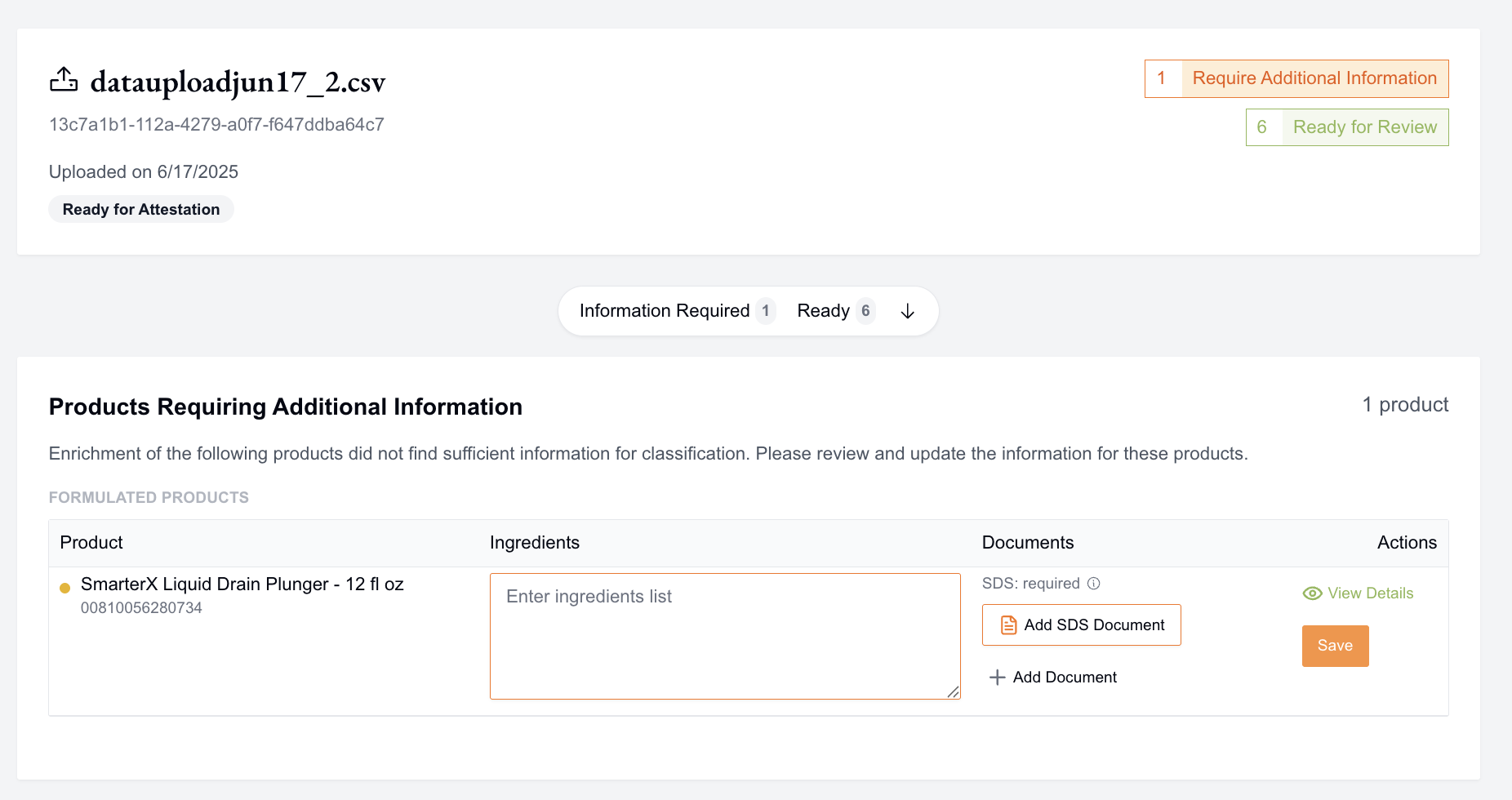
Additional Information Needed -
Items at the top in orange need more information to be properly classified. The needed information will be highlighted in orange. For this example, the SDS is required and the ingredient list is needed. Other SDS options you may see are "Preferred" or "Optional". Once you have added the information you will need to hit save on the record. The item will then change from orange to green and indicate that you have added the necessary information.
Ready for Review -
Items at the bottom in green were fully enriched and only need your review.
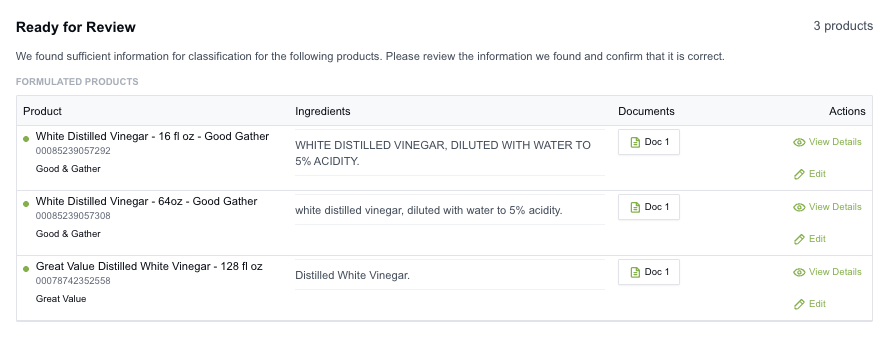
Click ‘view details’ on those items to ensure the information is accurate.
Once all of the required fields have been added and changed from orange to green, you will be able to ‘attest and import’ all of the items. You can also submit in batches and submit only the Ready for Review items or items you have completely filled in while leaving some products that require information.
In the pop-up, confirm that your information is accurate and confirm the import.
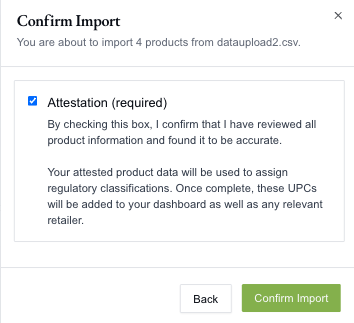
You will then see a status message to ensure you properly uploaded your products
Once the items have been classified, you will see them added to your dashboard. Any retailer who requested the UPC will also be able to see them now.
If you have any questions or need assistance, please email Support@Smartersorting.com.
Still stuck? Contact support or email support@smartersorting.com Either way it lands straight in our ticket queue.