Consolidating (CCIDs) on your Back of Truck System (BOTS/TruckSiS)
Learning how to consolidate waste on your TruckSiS is a snap with this video to talk you through the steps.
Consolidate an approval into a CCID
After creating an approval for the current stop, the waste must be consolidated into one or multiple CCID(s) on the truck. On the TruckSIS, you can choose to create new CCID(s) and/or select existing CCID(s).
- Select Create a new CCID to create a new CCID on the truck for the created approval.
CCIDs are automatically assigned a unique code based on the destination TSDF and numerical order for the trip.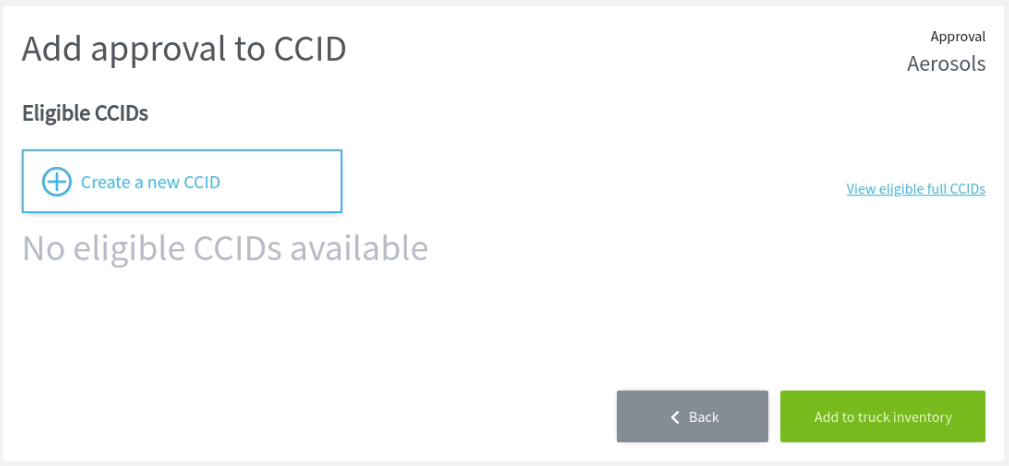
- Select a container type and size for the new CCID.

- Any CCID(s) eligible for approval consolidation will also appear. You can also select or deselect existing CCID(s) to assign the waste profile to the chosen container(s).
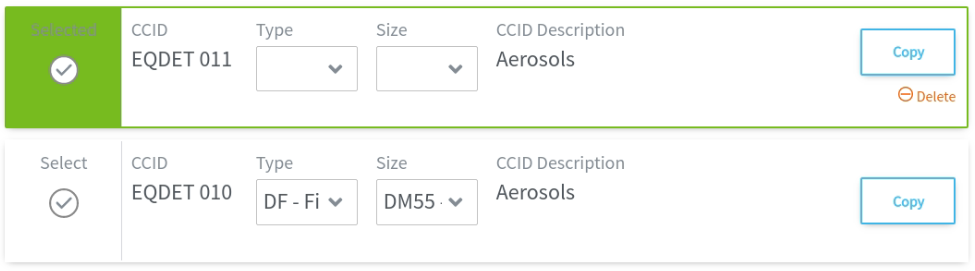
- Select Add to truck inventory to complete adding the waste approval to the stop inventory.

Still stuck? Contact support or email support@smartersorting.com Either way it lands straight in our ticket queue.