Corrections Needed for Flashpoint
We need a bit more information to correctly classify your product. Specifically, the flashpoint you have provided does not match either the SDS or ingredients. Please re-examine the ingredient inputs and/or update the flashpoint.
To make edits:
Open and log-into the Product Intelligence Platform (PIP): portal.smartersorting.com
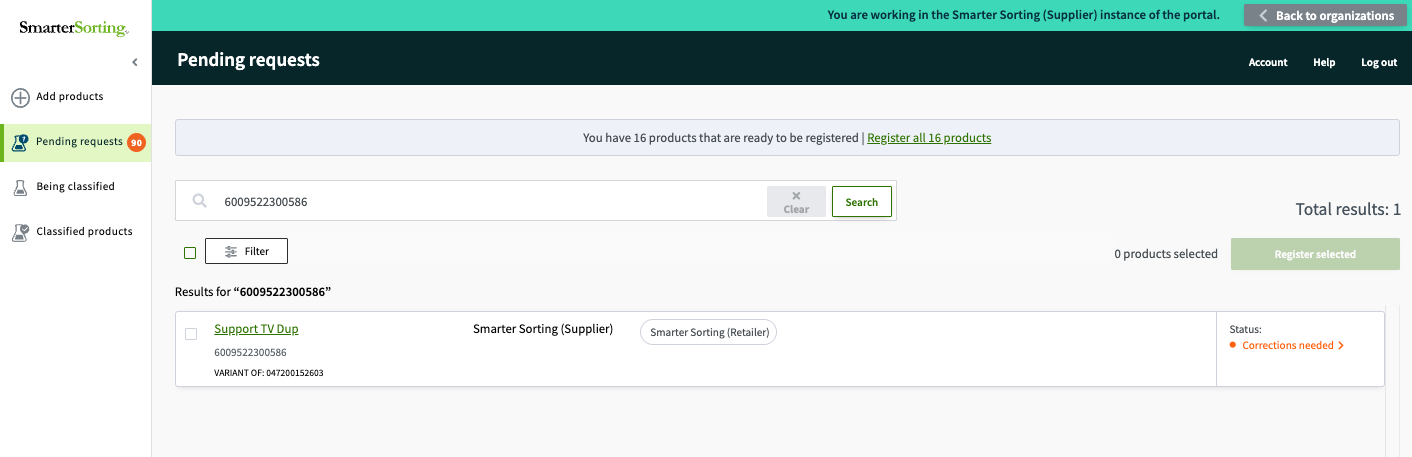
On the left, select Pending Requests and this UPC will be listed with an orange ‘corrections needed’ status. Click and open the UPC.
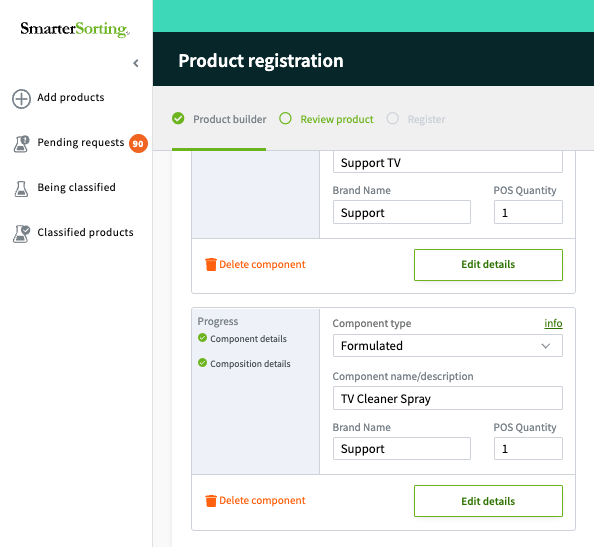
Scroll to the bottom of the page and select 'Edit Details" for the component you need to edit
It may say 'add details' if everything is not fully filled in. The green 'composition details' box is an indicator of whether or not you have input all required information to submit the item.
On the next page, select the blue edit pencil above 'Flash Point'. If your flashpoint was parsed from your SDS and you cannot edit, please email or chat Support and we can quickly unlock that for you! 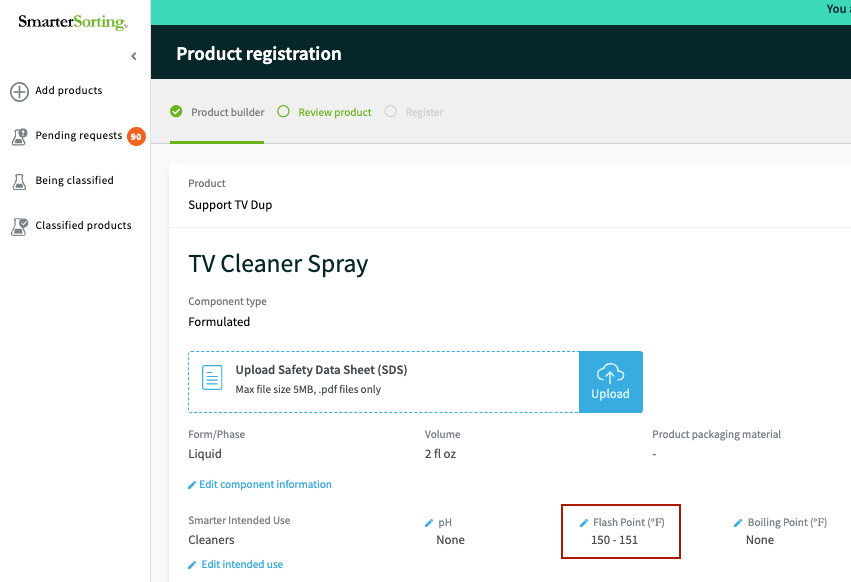
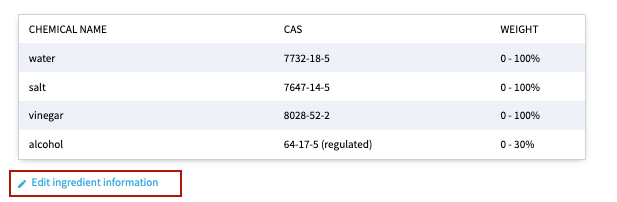
If you need to edit your ingredients or concentration ranges, scroll below the ingredient chart and select the blue 'Edit Ingredient Information'
Once you have made all edits, resubmit the item for classification.
Thank you for providing us the information needed to properly classify your product!
If you have any questions please reach out to Support at support@smartersorting.com or use the chat option in the bottom left corner of this page.
Still stuck? Contact support or email support@smartersorting.com Either way it lands straight in our ticket queue.