Corrections needed for concentration ranges
Your product may have been set up with all ingredients marked 0-100, or maybe your regulated ingredients concentration does not match the SDS.
We understand that your product formulation and proprietary information are important to your business. However, providing transparent information regarding the concentration ranges of your product's ingredients will help us provide you with the most accurate classifications in a timely manner. We do not require your exact formulation or proprietary details. Therefore, please provide concentration ranges as small as possible to ensure a faster and more accurate classification of your product.
Steps to update the Ingredients and Concentration Ranges
Open and log-into the Product Intelligence Platform (PIP): portal.smartersorting.com
On the left, select 'Pending Requests' and the UPC will be listed here with an orange ‘corrections needed’ status. Click and open the UPC.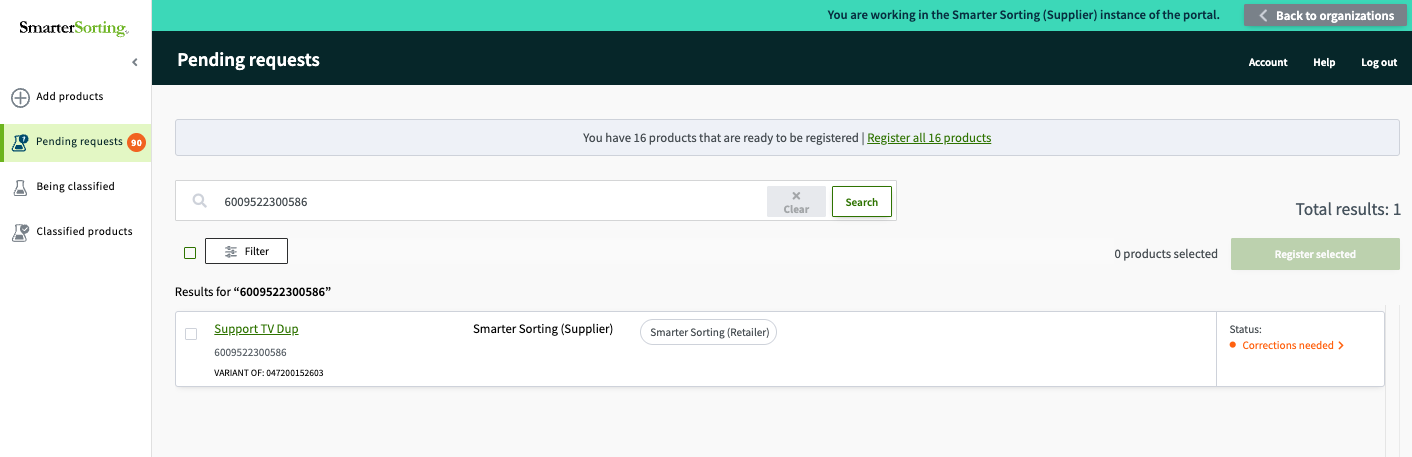
Once the item has opened, scroll down to the Component section, and select "Edit Item Details"
You will be able to edit ingredients in the next page. To do so, scroll below the ingredient chart and select the blue 'Edit Ingredient Information' option.
To edit Concentration Ranges, certify the information you input and select 'Check for Regulations'. A new page will open that allows you to edit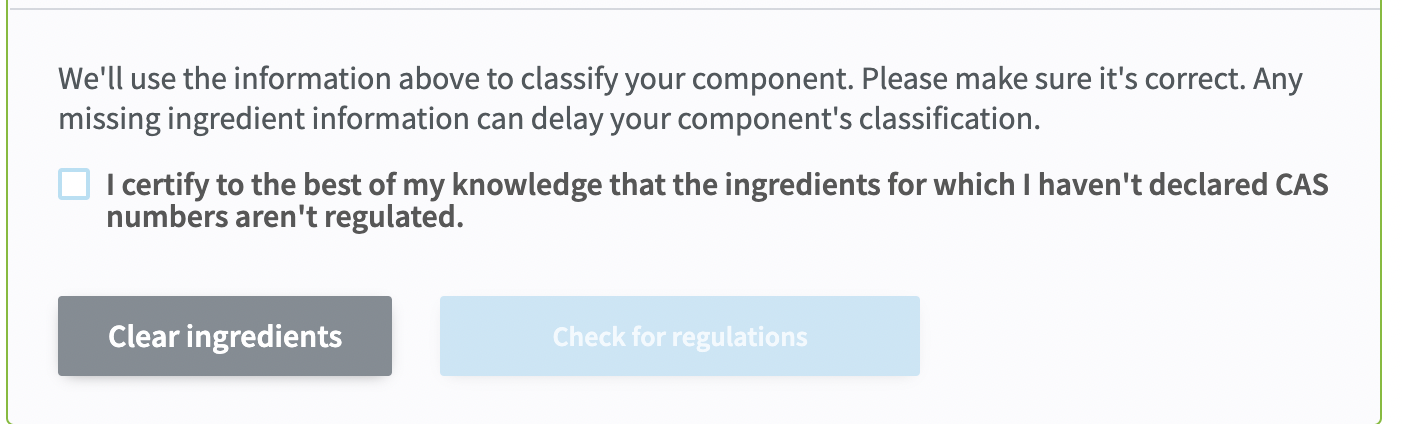
Once you have made all edits, resubmit the item for classification.
Thank you for providing us the information needed to properly classify your product!
If you have any questions please reach out to Support at support@smartersorting.com or use the chat box on the bottom left of this page.
Still stuck? Contact support or email support@smartersorting.com Either way it lands straight in our ticket queue.