Corrections needed for missing component
Your item has been sent back to corrections needed because we have found or believe that it is missing a component. This may be just a question, or we may have found indication in your user manual that there is another regulated part of the UPC. Please include all powered, formulated, and battery components within your UPC.
Steps to add a component:
Open and log-into the Product Intelligence Platform (PIP): portal.smartersorting.com
On the left, select 'Pending Requests' and the UPC will be listed here with an orange ‘corrections needed’ status. Click and open the UPC.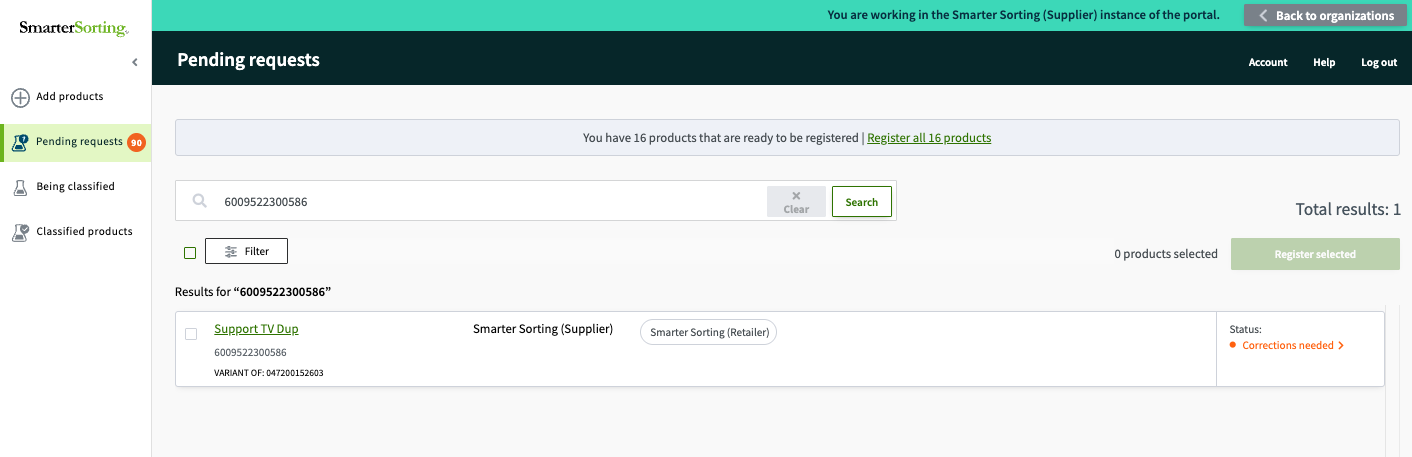
Once the item has opened, scroll down to the Component section, and select "+ Add Another Component'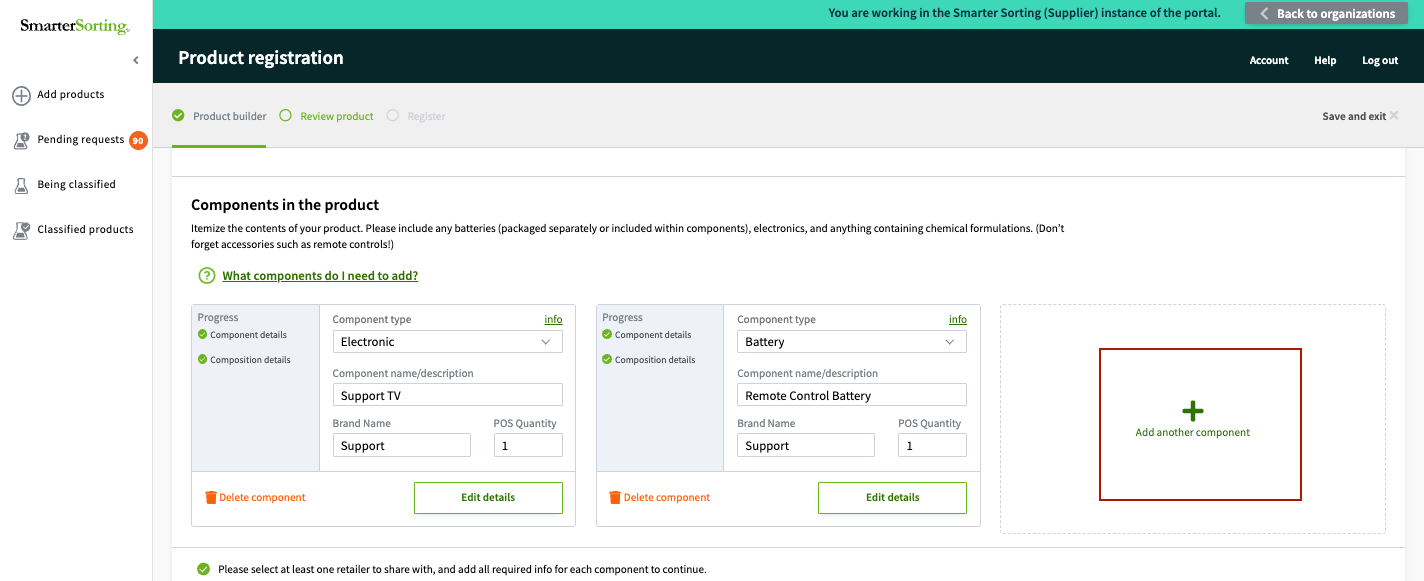
Then, set up the missing component.
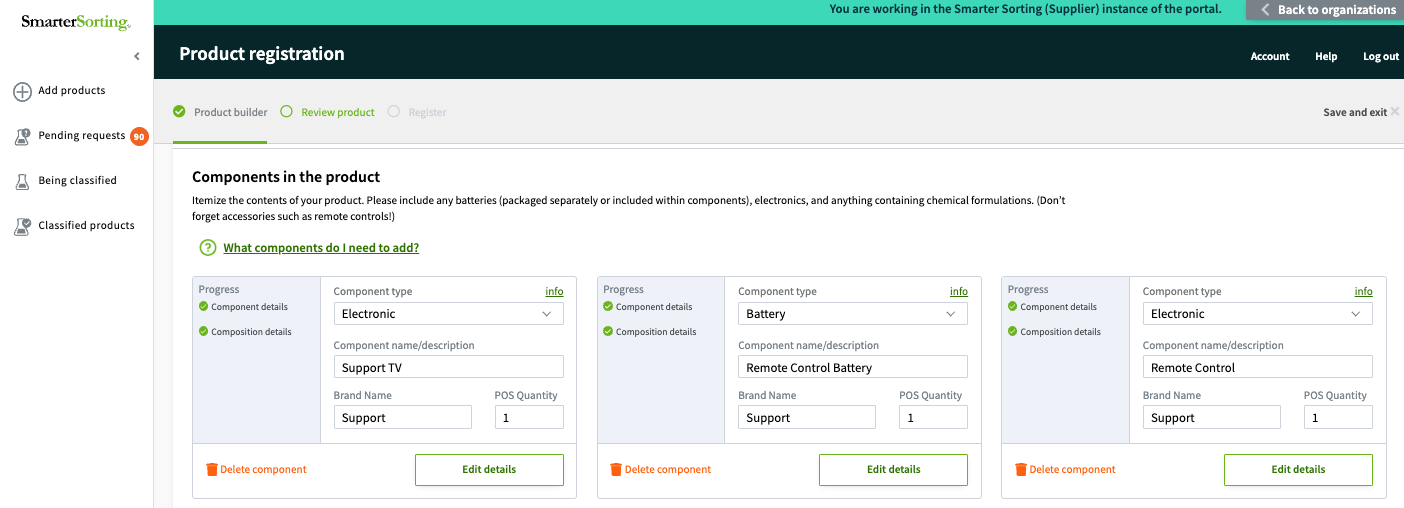
Once done, re-submit the item for classification.
Thank you for giving us the information needed to properly classify your product!
If you have any questions please reach out to Support at support@smartersorting.com or use the chat box on the bottom left of this page.
Still stuck? Contact support or email support@smartersorting.com Either way it lands straight in our ticket queue.