How to print labels using the Back of Truck System (BOTS/TruckSiS)
This article will walk you through printing labels using your TruckSiS device.
Print all labels
We are proud to provide an entirely streamlined process for label printing. Instead of dealing with multiple label templates and the dot matrix printer, all labels can be printed instantly using the thermal label printer on the TruckSIS. Navigate to Print labels in the work queue to begin.
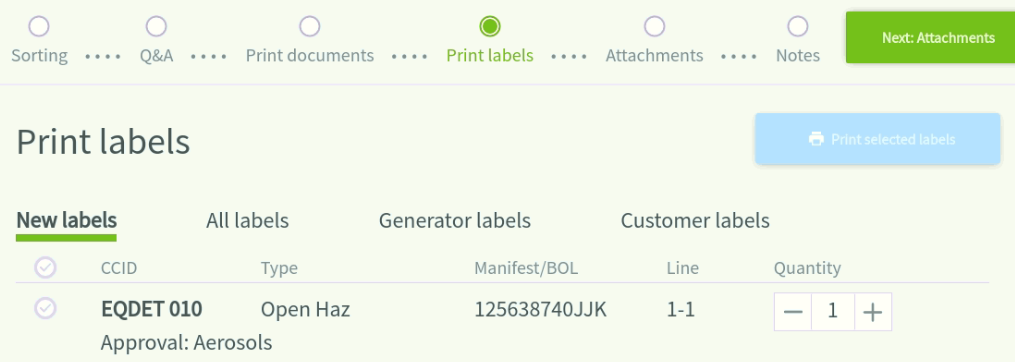
- Select a hazardous waste container label for the current stop.
- You can also navigate to All labels to print labels from prior stops on the trip, as well as Generator labels and Customer labels if they exist for the customer.
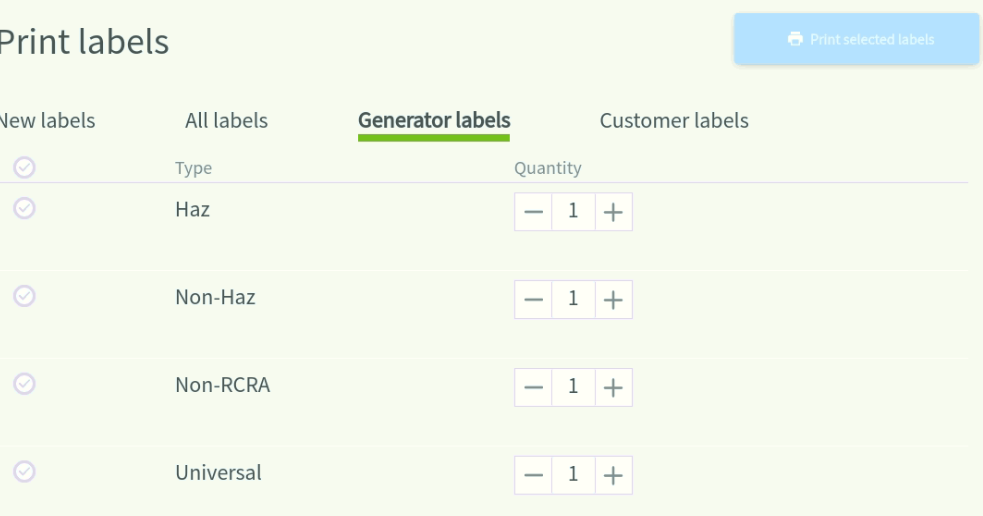
- Select Print selected labels to instantly print selected label(s).
Please note: Label templates will be different from the MIM. All labels will print on white paper and multicolor label templates are not required.
Still stuck? Contact support or email support@smartersorting.com Either way it lands straight in our ticket queue.