How to cancel an item subscription
Inactivating a product subscription:
Inactivating a product will ensure the item is not renewed at your next contract date. To inactivate, we need to confirm internally that your item is no longer active in your current retailers. If we have questions or our feeds are showing the item is active, we may ask you to communicate with your buyer to update their feed or provide proof it is inactive via email.
You may request a product to be made inactive at any time using the Product Intelligence Platform (PIP).
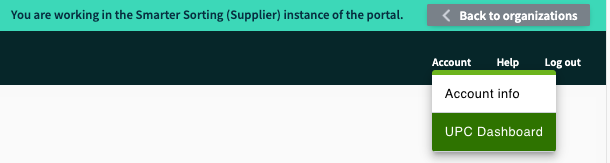
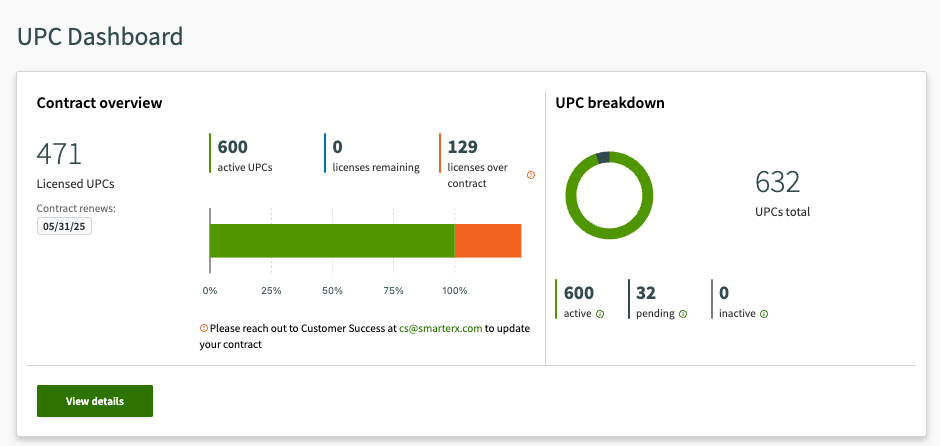
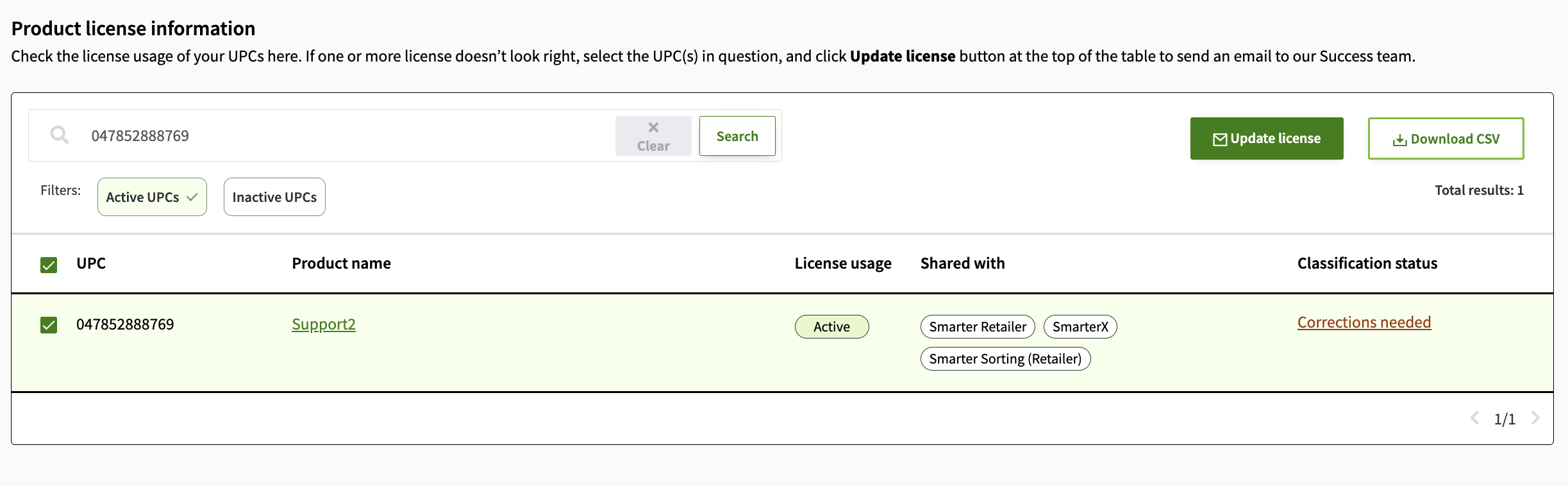
We will then confirm if we can move this product to inactive based on your retailers' feeds.
The products you inactivate will open up contract slots for you to use for new items.
Refunds:
We do not offer refunds mid-contract, so please ensure you review your item's status before signing or renewing your contract. The only exception is if your item is renewed and within 45 days of renewal your retailer stops selling it in stores. If your item moves to inactive within 45 days of your contract date please reach out to Support@SmarterSorting.com for a refund. This information is also listed in your contract that you are asked to sign when setting up your account.
Request to delete product information:
Smarter Sorting will retain product data indefinitely following the inactive date. Suppliers may request the retrieval or removal of non-public data at any point by contacting our Support team. However, we have an obligation to provide data to the retailer and will not be deleting publicly available information.
If you have any questions regarding any of these policies please reach out to Support at Support@SmarterSorting.com.
Still stuck? Contact support or email support@smartersorting.com Either way it lands straight in our ticket queue.