Product Intelligence Platform Statuses
What do the statuses mean in the Product Intelligence Platform?
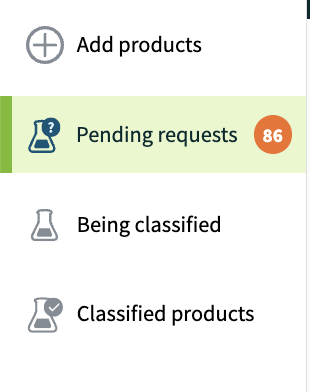
Pending Requests:
This section holds your newly created items that haven’t been submitted for classification yet, as well as items we've sent back for corrections or more information. If you need to make any edits or updates, this is where you'll find them after sending them back from Classified.
In progress: You've started entering product details, but some required fields are still missing. You might need to add a retailer or fill in more component details.
Ready to register: All required information for your components is filled in, and you've added a retailer to share the product with. While this means the required fields are complete, there might still be questions about your registration later on.
Corrections needed: If you see an orange number next to "pending requests," that’s how many items need your attention. After you submitted the item for classification, we realized more information was needed or there was a discrepancy. Click on the item, and you'll find a message at the top explaining what corrections are required.
Being Classified:
This means your item is currently moving through our classification process. If we need more information, we'll send it back to "pending requests." Classification can take up to three business days. If you need to cancel or make edits to an item while it's "being classified," just reach out to Support@SmarterSorting.com, and we’ll send it back to pending requests for you.
Classified Products:
Your product is fully classified and has completed our process. You can view the waste and transportation classifications here, if applicable. Once in this section, your item and its classification info are shared with your retailer. If needed, you can update the UPC, product name, or brand, or add an additional retailer. For any other changes, just click the "send product back to pending" button.
Still stuck? Contact support or email support@smartersorting.com Either way it lands straight in our ticket queue.