Troubleshooting Issues with the Back of Store System Printer
If you're having issues with your printer, but you're not sure how to approach, these are some easy things to try prior to needing to contact support.
I need to troubleshoot my printer, but I'm not sure how.
Usually errors can be solved with a restart or label roll alignment.
Instructions to put printer in different modes
Standby Mode
- Hold power for 3 seconds
- Press power once to turn back on
Turn Off/Restart
- Hold power button 5 seconds until all lights flash amber, it will turn off
- Press power once, single amber light will turn on - wait for printer to boot up to green after 15 seconds
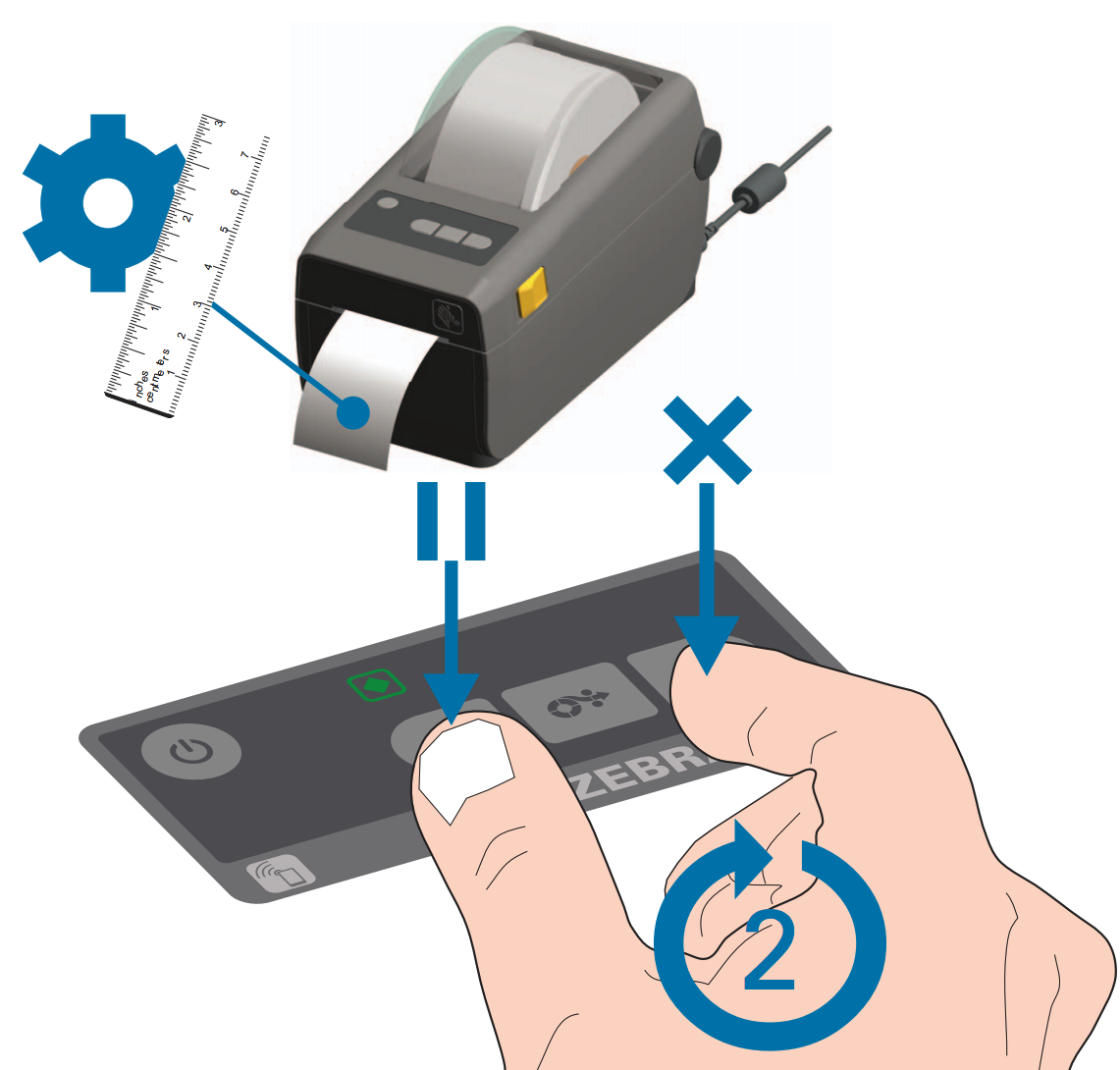
Print test labels / Reset the label roll:
- Hold Pause and X buttons (diagram below) until pages start printing
- Printer will stop printing on its own
If after following these steps the printer is not fully functional, please call Smarter Sorting support at 512-593-2594
Still stuck? Contact support or email support@smartersorting.com Either way it lands straight in our ticket queue.