Where can I download the Back of Truck System (BOTS/TruckSiS) mobile app?
Looking for the Back of Truck System (BOTS/TruckSiS) app? Look no further. This article will walk you through downloading the app.
Where can I find the mobile app that allows drivers to perform additional tasks outside of the TruckSiS unit?
You can login on the mobile app with your TruckSIS account. To download the app:
-
Open Google Chrome on your company Android mobile device and enter:
http://sstrucksis.com
- Click Add TruckSIS to Home Screen at the bottom of the screen and the app icon will be added to your phone's home screen.
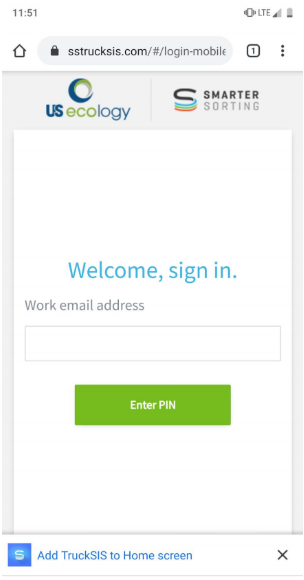
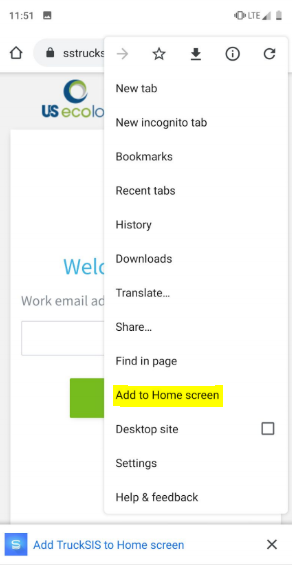
Tip: If this prompt does not appear, you can select the menu dropdown on the top right and select Add to Home screen.
Still stuck? Contact support or email support@smartersorting.com Either way it lands straight in our ticket queue.